For warehouse teams focused on order accuracy, preventing picking and packaging errors starts with understanding where mistakes enter the workflow.
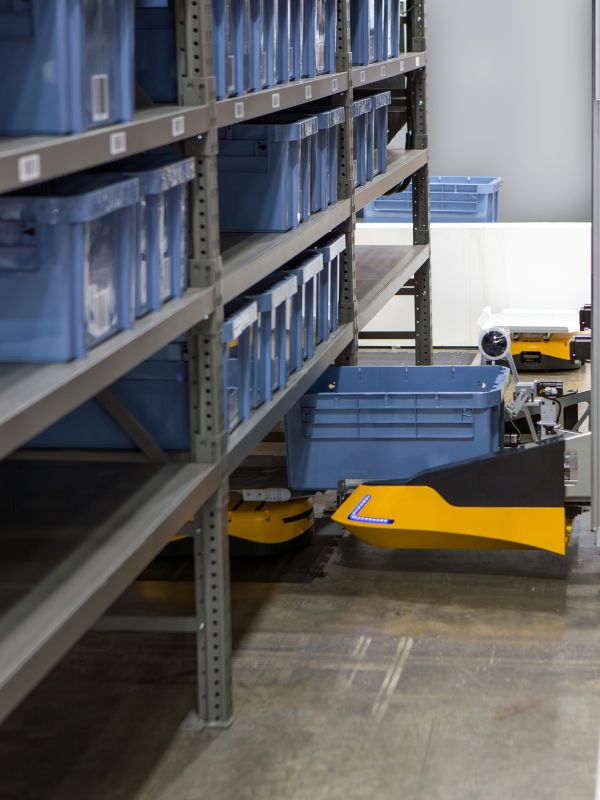
Warehouse orders pass through several checkpoints before they leave the facility, and each handoff introduces an opportunity for error. A picker might select the wrong SKU, or a packer could place the correct product in unsuitable packaging. These mistakes lead to replacement shipments and inventory issues. In order to prevent picking and packaging errors, it’s essential to establish standardized procedures that the crew is able to maintain.
Organize Inventory Locations Carefully
Accurate picking starts with storage locations that employees can identify without hesitation. Similar products placed next to each other increase the chance of a wrong selection, especially when packaging designs or part numbers look nearly identical. Poorly positioned labels make the problem worse because workers must stop to confirm whether they have reached the correct bin.
Assign each SKU a defined storage position and use the same location format throughout the warehouse. Labels should remain visible from the normal picking position and match the information shown in the warehouse management system. When two products are easy to confuse, separating their locations gives employees another visual checkpoint before either item reaches an order.
Maintain Accurate Inventory Records
Inventory records guide pickers to the products they expect to find. When system quantities don’t match the physical stock, workers may arrive at an empty location or encounter products that belong somewhere else. Those discrepancies interrupt the normal picking sequence and increase the likelihood of an incorrect adjustment.
Cycle counting provides a structured way to identify mismatches without shutting down the warehouse for a full inventory count. Facilities may schedule checks according to product movement, value, or previous accuracy problems. When a discrepancy appears, employees should trace its cause before adjusting the record so that the same issue doesn’t affect future orders.
Use Barcode Scanning During Picking
Visual identification alone leaves room for mistakes when employees work through large order volumes. Barcode scanning gives pickers a direct way to compare the product in hand with the SKU assigned to the order. If the codes don’t match, the system will flag the discrepancy.
Many warehouses scan the storage location first and then scan the selected item. That sequence confirms both the picker’s position and the product choice without relying on memory. Recorded scan data also gives supervisors useful information when they investigate recurring errors or evaluate where mistakes enter the process.
Standardize Picking Procedures
Consistency becomes difficult when every employee uses a personal method for completing an order. One worker may verify quantities at the shelf, whereas another may wait until the cart reaches a staging area. Those variations complicate troubleshooting because supervisors cannot easily identify the step where the error occurred.
Document a clear sequence for order assignment, item verification, quantity confirmation, and exception handling. Employees should understand what to do when inventory is missing or damaged so they don’t improvise a substitution. A defined procedure gives the team a shared process.
Separate Orders Before Packaging
Batch and zone picking allow warehouses to move several orders through the facility at the same time. However, products can become mixed when multiple orders arrive at one staging or packing area without clear separation. An accurate pick loses its value if an item moves into the wrong carton before shipping.
Dedicated totes or staging positions help preserve order identity through the handoff. Each container should display an order number or scannable identifier that matches the packing record. Physical separation gives packers a defined group of items to verify and reduces the amount of information they must remember while processing several shipments.
Verify Contents at Packing Stations
The packing station provides a valuable final checkpoint before products enter a shipment. Packers should compare the items at the workstation with the order record before closing the carton. This step catches picking mistakes that passed through earlier controls and prevents those problems from reaching customers.
A structured verification process may include product scanning, quantity confirmation, and review of special packing instructions. Warehouses should apply the same process when order volume increases because rushed verification tends to shift problems further downstream.
Match Packaging to the Shipment
Order accuracy involves more than sending the correct product. Packaging that doesn’t suit the shipment may allow an item to shift inside the carton or leave it exposed to damage during handling. Oversized boxes introduce unnecessary open space, and packaging that is too small may put pressure on the contents.
Facilities can establish packing guidelines based on the characteristics of common shipments. Standard carton options give employees a dependable reference without forcing them to make a new decision for every order. For shipments that move onto pallets, teams can optimize palletizing for higher efficiency by using consistent load arrangements that mitigate handling complications.
Review Error Patterns Regularly
A single mistake may appear isolated, but repeated incidents usually provide useful information about the process. If the same incorrect SKU appears in multiple orders, the problem could stem from confusing storage locations. Repeated quantity errors could point to a weakness in verification or inventory recording.
Track enough detail to determine where patterns develop, such as the affected location, product, shift, or process stage. Supervisors can use those records to decide whether a procedural adjustment or additional training is necessary. Comparing results after a correction also shows whether the change actually reduced the original problem.
Control Handoffs Between Work Areas
Picking and packing may function accurately on their own while errors still develop during the transfer between them. Unclear staging areas or incomplete order identification can leave employees uncertain about which products belong together. A shipment may reach the packing station with accurate items arranged under the wrong order.
Set a consistent handoff procedure between picking and packing. The transfer should confirm the order identity to ensure that the information is correct as the order progresses. When the warehouse uses carts or totes, the identifier should remain attached after verifying the package.
Monitor Accuracy Alongside Productivity
Productivity targets influence how employees approach warehouse tasks. If management focuses almost entirely on picks per hour or packing speed, workers may feel pressure to skip verification steps. Short-term gains in output can lead to extra labor later when teams must correct shipments or investigate inventory problems.
Accuracy should remain visible in performance reviews alongside throughput. Tracking both measures helps supervisors determine whether process changes improve output without increasing mistakes. A productive warehouse depends on orders moving efficiently, but those orders still have to leave the facility correctly.
Protect Order Accuracy
Preventing warehouse mistakes depends on reliable procedures at each point where employees identify, move, verify, or package products. Clear controls reduce the amount of judgment workers must use when several shipments move through the facility.
Consistent inventory records, verification steps, and employee coaching help prevent picking and packaging errors from becoming routine operational problems. When teams review errors as process information, they gain a useful basis for refining warehouse procedures and protecting customer orders.